Live microphone detection
Pitch analysis runs continuously in the browser and displays the nearest target, frequency, and cents difference.
Tune a fiddle to standard G-D-A-E or Cross A with visual string targets, microphone feedback, reference tones, and cents accuracy.
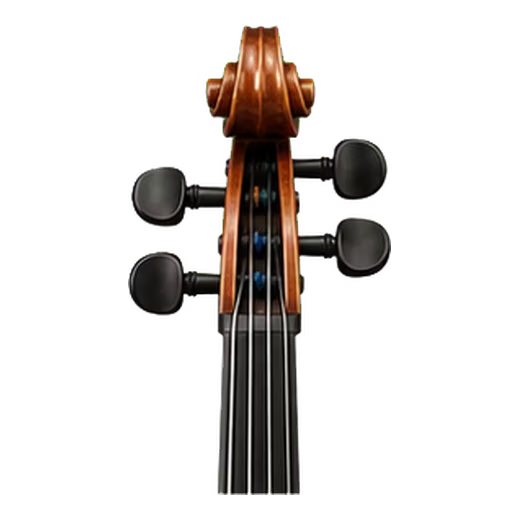
Fiddle and violin are the same instrument and share standard G3-D4-A4-E5 tuning. This page also includes Cross A, a common AEAE setup used for drones and resonance in old-time playing.
The target setup on this page is G3 - D4 - A4 - E5.
Pitch analysis runs continuously in the browser and displays the nearest target, frequency, and cents difference.
The tuner shows whether the current note needs to move up, move down, or is within the in-tune range.
Select a visible target to hear a clean reference pitch when you want to compare the instrument by ear.
Microphone samples are analyzed locally and are not uploaded as an audio recording.
Tune in a quiet room and play only one clear note or open string at a time.
Start with G3 - D4 - A4 - E5. Available alternatives include Standard GDAE and Cross A AEAE.
Allow microphone access, keep the instrument close enough for a clean signal, and avoid other sustained sounds.
Play one open string and let it sustain while the tuner selects or follows its target.
Move gradually toward the center, then repeat every target because changing one string can slightly affect the others.
Use the dedicated preset when the target notes and physical string order matter more than a general chromatic reading.
Use GDAE for bluegrass, Celtic, country, folk, and classical repertoire written for standard strings.
Retune to A3-E4-A4-E5 for a strong A drone while checking string tension carefully.
Use a steady bow and wait for the attack transient to pass before making fine adjustments.
Tap each target note to compare the open string by ear after the visual tuner reaches the center.
Both use the same pitch detector, but they organize targets differently.
| Fiddle Tuner preset | Chromatic mode | |
|---|---|---|
| Targets | G3 - D4 - A4 - E5 | All twelve semitones |
| Visual layout | Instrument-specific pegs and strings | Detected note and cents |
| Best for | Fiddle Tuner | Custom tunings and other pitched instruments |
| Tuning choice | Standard GDAE and Cross A AEAE | No instrument tuning required |
A dedicated preset is easier when you want the correct string order. Chromatic mode is more flexible when you already know the target note.
Yes. It runs in a supported browser without requiring an account or installing a tuning app.
The default targets are G3 - D4 - A4 - E5.
Yes. Allow microphone permission, keep the device near the instrument, and play in a quiet place for a more stable reading.
One semitone contains 100 cents. A negative reading is flat, a positive reading is sharp, and a value close to zero is in tune.
Other strings, room noise, overtones, and a hard attack can compete with the fundamental. Mute unused strings and read the note after it settles.
No. Live microphone analysis stays in the browser and the tuner does not create or upload an audio recording.